It tells you what actually changed.
Every tool in this category shows you a result and asks you to take its word for it. OpenPixels measures the result and puts the numbers on screen — including the one that matters most: whether the detail was enlarged or invented.
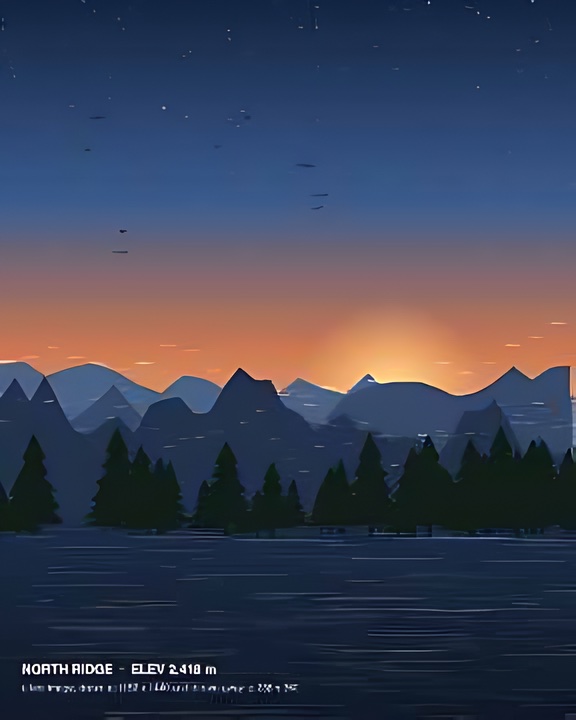
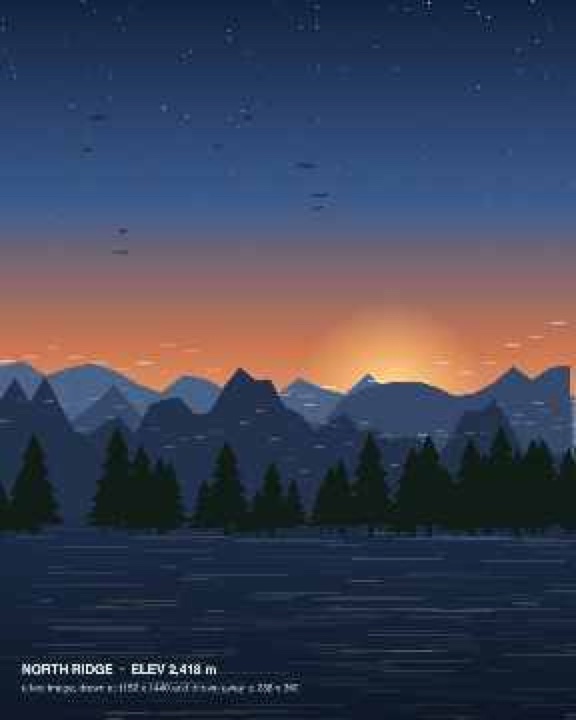
A real run, not a mock-up. The source is a test image drawn at 1152 × 1440, thrown away to 288 × 360 as a low-quality JPEG, then enlarged 2× by OpenPixels in an ordinary browser tab. The figures above are the ones the app itself reported on that run. Drag the slider, or use the arrow keys.
Ten models, one page, none of them on a server.
Pick a photo and OpenPixels chooses the right model for it. Each one is downloaded once, on first use, and then works with no network at all.
Enlarge up to 8×
2×, 4× or 8× — or keep the original size and just clean it up. Old phone pictures, scans and screenshots are what it handles best.
Clear noise and artefacts
Three strengths, including the blocky edges left by heavy compression — the damage a photo picks up going through a messaging app.
Rebuild faces
Faces are found, restored at 512 × 512 and pasted back through a feathered mask — the case old family photographs need most.
Colourise old photographs
Only the colour comes from the model; the photograph keeps its own lightness. It warns you before colourising something that already has colour.
Remove the background
Cut it out entirely, or make it white. Cut-outs save as PNG so the transparency survives.
Several photos at once
Batch processing with no limit, a ZIP of the results, and a CSV of the measurements for every photo in the run.
The difference a local model makes.
Not a knock on the cloud tools — these are the direct consequences of where the model runs. A server that processes your photo has costs to recover and a copy of your photo to store; a browser tab has neither.
| OpenPixels | Typical cloud upscaler | |
|---|---|---|
| Where your photo is processed | Your device | Their server |
| Your photo is uploaded | Never | Always |
| Account required | No | Usually |
| Photos per month | Unlimited | Capped by plan |
| Watermark on free output | None | Common |
| Shows measured quality | Yes | No |
| Works with no connection | Yes, after first visit | No |
| Cost | Free | Subscription |
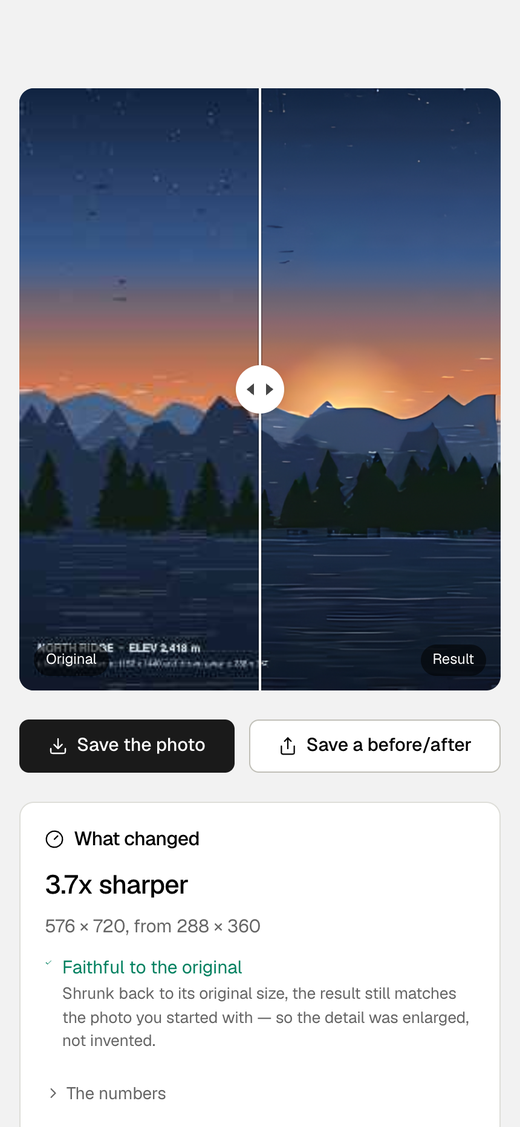
Four numbers, and one of them is the honest one.
Sharpness is the variance of the Laplacian; noise is Immerkær's estimator; both are measured on the same window of the image. PSNR and SSIM compare the result — shrunk back to the size you started with — against your original.
That last comparison is the one worth understanding. A model that hallucinated new detail would score worse on it, not better. So when OpenPixels says the result is faithful, it is telling you the detail was enlarged rather than dreamt up. Of the twelve products surveyed before this one was built, none showed either measurement.
"We don't look at your photos" is a promise. This is a fact.
Most privacy policies ask you to trust a company not to misuse data it holds. OpenPixels has a structural answer instead: your photo is decoded, processed and saved inside your own browser tab, and there is no endpoint anywhere in the product that accepts an image.
Free, and open source. The code that decodes your photo is on GitLab, MIT or Apache-2.0 — so the claim above is one you can check yourself.
No upload, ever
Your photo is never transmitted. Not to us, not to a third party, not for “quality improvement”.
No account needed
Nothing here is behind a sign-in. The app itself has no telemetry and no advertising identifiers; the site counts page views, and never anything about your photos.
Then it goes quiet
The only downloads are the app and the model files, from this same address. After the first visit they come from your browser’s cache, and only the page-view counts go out.
The full detail is in the privacy policy.
There is no bill to pass on to you.
Tools that charge for this upload your photo and pay for the GPU that handles it. That server bill is what a subscription covers. OpenPixels has no such bill, because the work happens on the device already in your hand — so there is nothing to charge you for, and no tier to withhold.
This is also why the feature list stops where it does. AI portrait generation — the feature that turns your photo into a stylised avatar — is deliberately absent. It cannot run on your device, so it would need a server, a price and an account.
Making your photo clearer and generating a new one are different jobs. OpenPixels only does the first.
Add it to your home screen and pull the plug.
OpenPixels is a progressive web app. Add it to your home screen and it opens full screen like any other app — but it is the same page, and nothing extra is installed.
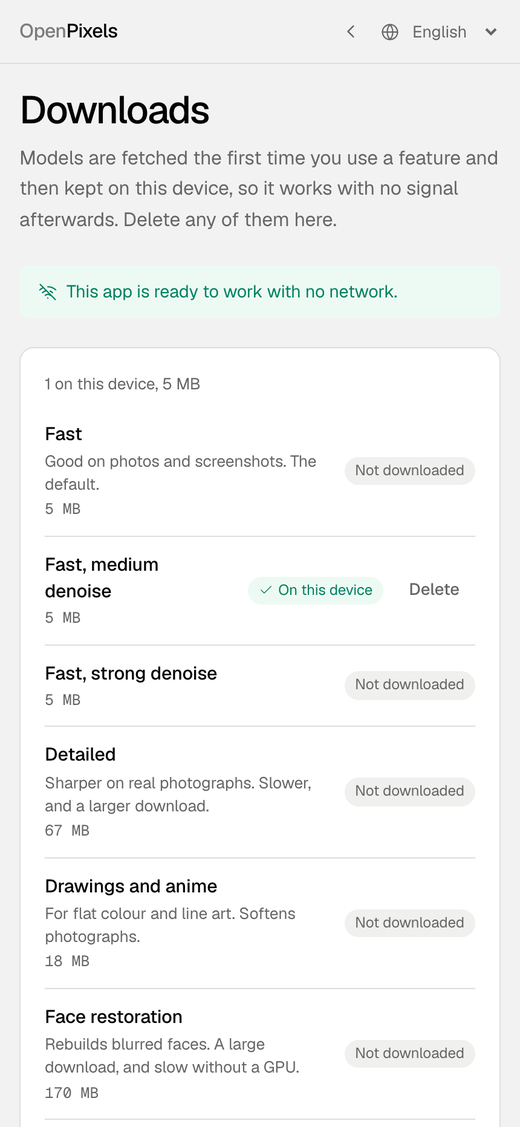
Models are fetched on first use with a progress bar, never silently: the face restorer is 340 MB and the colouriser 228 MB, and the app says so before either starts. The Downloads page lists everything stored on your device and lets you delete any of it. Every model file is pinned by sha256, and the build steps that produced it are published, so you can rebuild it from the upstream weights and compare byte for byte.
Also on your computer and your phone.
The Mac, Windows and Android apps enlarge photos and clear noise and compression artefacts with the same models, on your own device. Each model downloads once, the first time a photo needs it, and after that the app works with no connection. Colourising, rebuilding faces and removing backgrounds are in the web app and the browser extension.
Windows app
The installer, as an .exe file, for 64-bit Windows 10 and 11.
If Windows shows “Windows protected your PC”, choose More info, then Run anyway.
Download for WindowsAndroid app
An APK file for Android 8 or later. When Android asks, allow your browser to install it.
Download for AndroidBrowser extension
Everything the web app does, added to Chrome or Firefox from its store.
Add to Chrome Add to FirefoxBefore you open it.
What is OpenPixels?
OpenPixels is a free, open-source web app at openpixels.app that enlarges, sharpens, denoises, colourises and cuts the background out of photographs. It also comes as a browser extension for Chrome and Firefox. Your photo is processed on your own device and is never uploaded, and no account is needed.
Is OpenPixels really free?
Yes, entirely. There is no paid tier, no account, no trial, no watermark, no credits and no limit on how many photos you process. Your photo is processed by your own device, so there is no per-photo cost to pass on.
Are my photos uploaded anywhere?
No. Your photo is processed inside your browser tab and never leaves your device — there is no server to upload it to. The page loads the app, the AI model files and an analytics tag that counts the visit; after the first visit the app and the models are cached, and none of it ever carries your photograph.
How much can OpenPixels enlarge a photo?
Up to 8×. You can also choose 2×, 4×, or keep the original size and just clean the image up. Very large results can exceed what a browser tab can hold, and the app tells you when it has capped the size rather than failing.
Does OpenPixels work offline?
Yes. It is a progressive web app: after the first visit the app works with no network connection. Each AI model is downloaded once, on first use, and cached; the Downloads page lists everything stored and lets you delete any of it.
Do I need an account to use OpenPixels?
No. Every feature works with no account and no sign-in, and nothing in OpenPixels is behind one. There is an optional account you can sign in to if you want to carry credits to our other apps — it unlocks nothing here, and your photos are not involved either way.
Can OpenPixels restore old and blurry family photographs?
Yes. It finds faces, rebuilds them at 512 × 512 and pastes the result back through a feathered mask, which is the case scans and old family photographs need most. It can also colourise a black-and-white photograph, taking only the colour from the model and keeping the photograph's own lightness.
How do I know the detail is real and not invented?
OpenPixels shrinks its own result back down to the original size and compares it with the photo you started with, then shows you the outcome. If the shrunk result still matches your original, the detail was enlarged rather than invented. It also reports how much sharper the result is and how much noise was removed. Of the twelve products surveyed before this one was built, none showed either measurement.
What can OpenPixels not do?
It cannot invent detail that was never captured — nothing can. It also deliberately omits AI portrait generation, the feature that turns a photo into a stylised avatar, because that cannot run on your device and would require a server, a price and an account.
Which file formats does OpenPixels support?
Any still image your browser can decode, including JPEG, PNG and WebP. Results are saved as PNG.
Are there limits?
There is no upload limit, because nothing is uploaded, and no limit on how many photos you process. Several at once takes any number of photos with the same settings and gives you a ZIP of the results, plus a CSV of the measurements for every photo; one ZIP holds up to 4 GB, so download a very large run in smaller batches. The limits that remain are your device’s: each model downloads once, the first time it is needed — about 5 MB for the fast upscaler, 67 MB for the detailed one, 340 MB for the face restorer and 228 MB for the colouriser — and a very large result is capped to what a browser tab can hold, with a note saying so.
Is OpenPixels open source?
Yes, under MIT or Apache-2.0 at your option — the whole thing is at gitlab.com/openpixelsapp/OpenPixels. That includes the exact steps that produced each model file and their sha256 checksums, so the models can be rebuilt from the published upstream weights and compared byte for byte.
Does OpenPixels have an API?
No. There is no endpoint anywhere in the product that accepts an image. You use OpenPixels in the web app at openpixels.app or in the browser extension for Chrome and Firefox.
How do I get help or report a problem?
Email hello@openpixels.app.
Open it and drop in a photo.
No sign-up, no download, no first-run wizard. It is a web page, and the photo stays on your side of it.